Aaj ki post me hum aap ko batayege Whatsapp par delete kiye gye message ko kaise padhe.dosto apne kabhi whatsapp par kisi friends,family members or girlfriend ko galati se galat message send kar diye ho or apko uss messages ko Pehle aap delete nahi kar sakte the.lekin dosto aaj aeshe secret whatsapp trick leke aya hu me jinki madad se aap sabhi whatsapp par delete messages ko asani se padh sakte hain.
How to Read Deleted WhatsApp Messages ??
whatsapp apne users ke liye new new features provide kar raha hai or apne users ki sankhiya badhane ke liye new new feature lata rehta hai.whatsapp ne ek new feature Whatsapp me add kiya hai.uss feauture ka name delete everyone hain. whatsapp me send kare huae messages ko 7 miniuts ke andar delete karne ke kiye whatsapp ne delete everyone ka features diya gya hai.
dosto india me aaj ke jamane me har chij ka juggad mil jata hai. to chaleye dosto hum aap ko batayege kaise delete kiye gye messages ko padh sakte hai.
Whatsapp Par Deleted Messages Kaise Padhe ??
Step 1 Sab Se Pehle Aapko GBWHATSAPP download Download karna hoga. gbwhatsapp download karne ke liye niche diye gye link ko open kare.
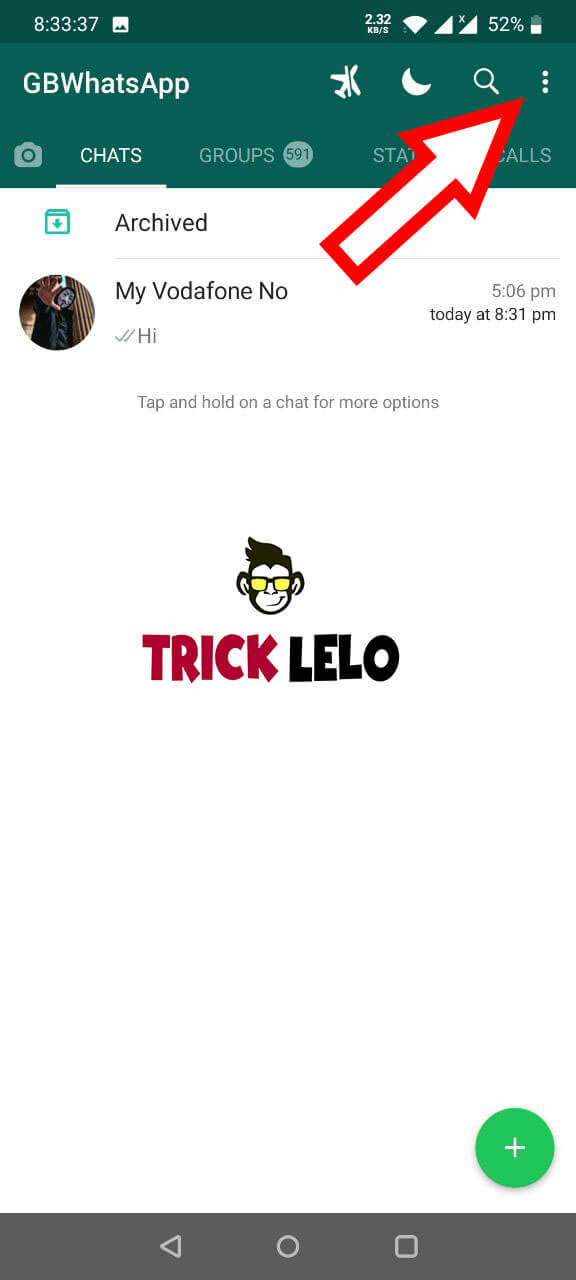
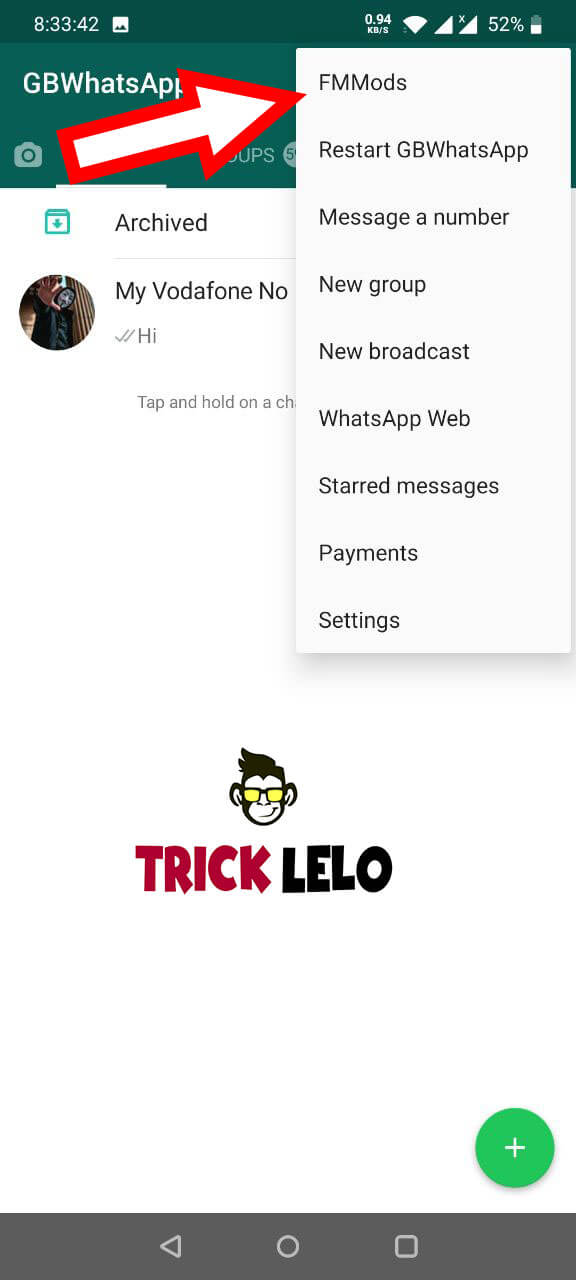
Step 2 GBwhatsapp download and install complate hone ke baad mobile number dal kar Whatsapp Account bana lo. Gbwhatsapp open karoge to apko uper … dot ka icon hogawaha par click kare.
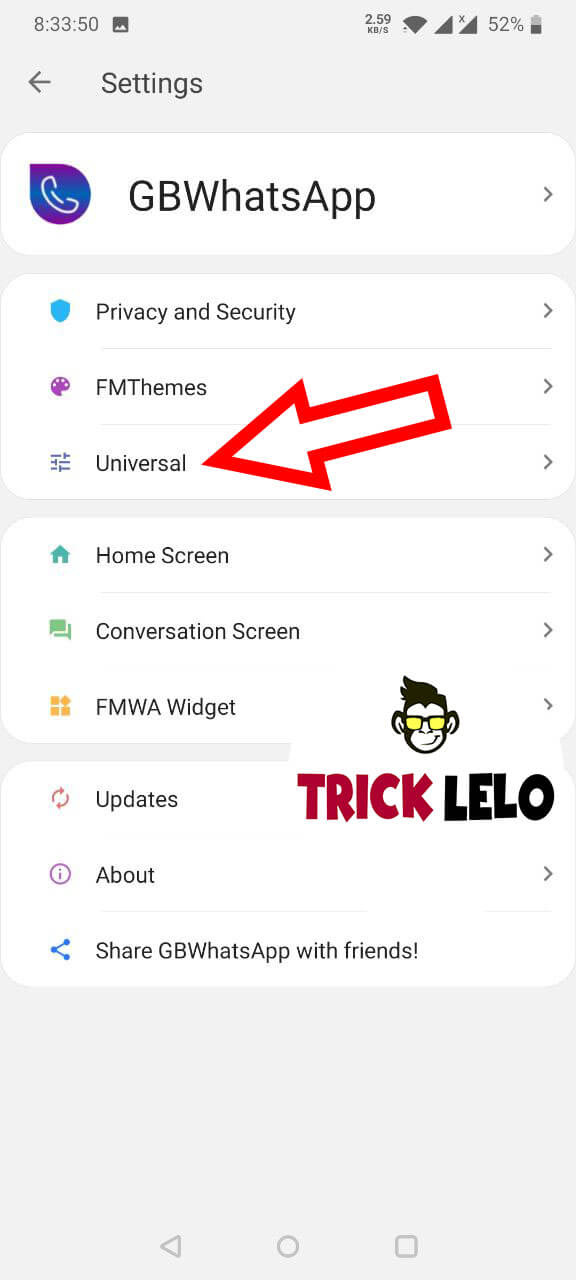
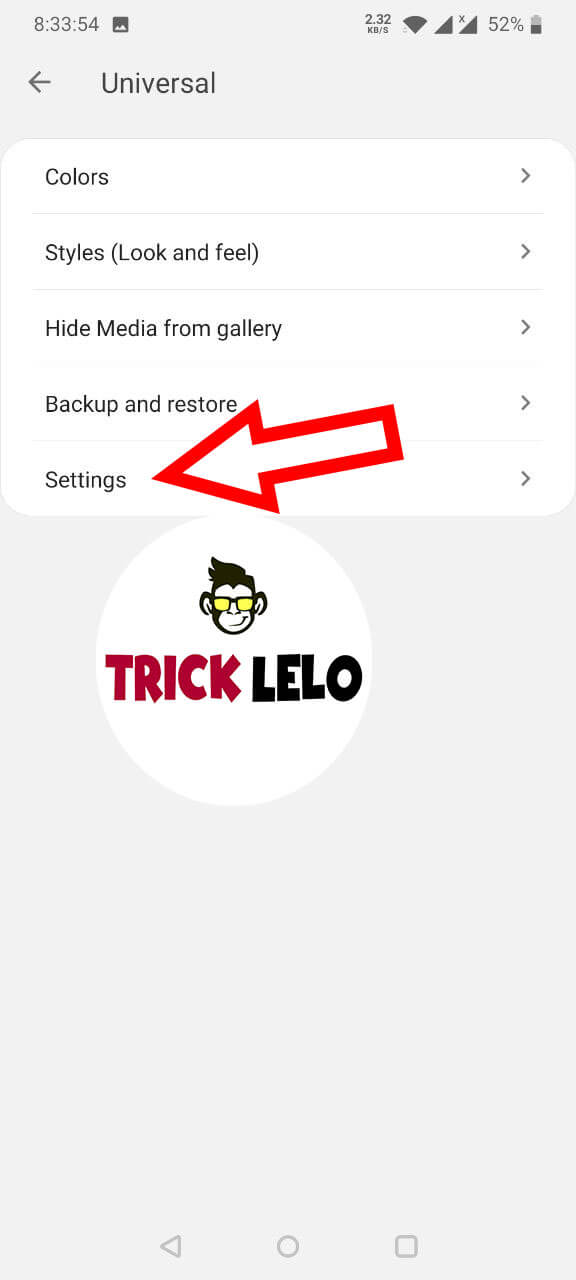
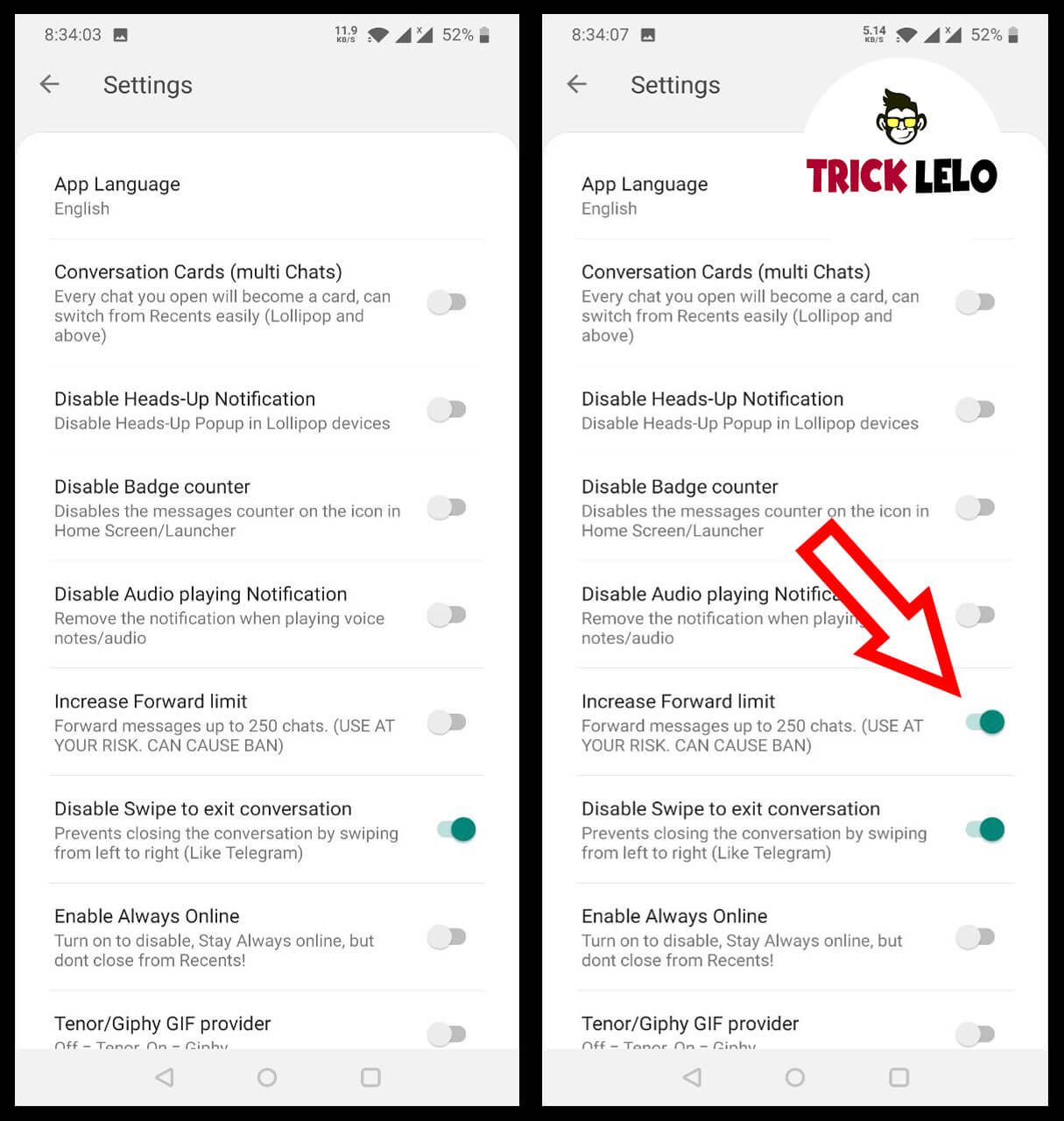
Step 3 uske baad aap ko privacy option me jana hai. last me aap ko Enable Anti-Revoke Option par click kar ke Enable kar dijye.
Enable Anti-Revoke ;-
Dosto GBWhatsapp ne new feauture add kiya hai jiska name Enable Anti-Revoke hai. Enable Anti-Revoke se aap kisi bhi friends ne messages deleted kiya hai to aap aasani se uss messages ko padh sakte ho. Enable Anti-Revoke par click karke aap Enable kar dijye.
dosto disable feature se aap deleted messages ko padh nahi sakte hain.agar aap delete messages ko nahi padhna chate hain to aap disable anti-revoke feauture ko disable kar sakte hai.
dosto Anti-Revoke Feaure Se Aap Delete Messages Aaram se padh sakte ho. post achi lage to like commnets jaruru kare.
1) Who is the first representative from India to serve as Chairman of the World Steel Association?
Answer: Sajjan Jindal
2) Kushinagar International Airport was recently inaugurated in which Indian state?
Answer: Uttar Pradesh
3) Which country recently launched its first homegrown rocket, Nuri?
Answer: South Korea
4) What book of this author has to do with immortality?
Answer: The picture of Dorian Gray
5) What was the name of this character’s brother in the famous books of Sir Arthur Conan Doyle?
Answer: Mycroft
How to Play Amazon Quiz Time Contest ?
Sign in to the Amazon App. In case you are not signed in, you will be directed to a sign in page.There will be a total of 5 questions. Answer all 5 questions correctly to enter the lucky draw.Getting any question incorrect makes you ineligible for today’s lucky draw. Please try again tomorrow for a new prize.
Amazon Quiz Time Answers Today 10 September 2020
Amazon Quiz Time Answers Today 9 September 2020
Amazon Quiz Time Answers Today 8 September 2020
Amazon Quiz Time Answers Today 6 September 2020
Amazon Quiz Time Answers Today 5 September 2020
Amazon Quiz Time Answers Today 4 September 2020
Amazon Quiz Time Answers Today 3 September 2020
Amazon Quiz Time Answers Today 2 September 2020
Amazon Quiz Time Answers Today 1 September 2020
Eligibility
You need to fulfill the following eligibility criteria to enter the Contest ;
(a) You should be an individual legal resident of the Republic of India.
(b) You should have set India as your current country in your account settings on Amazon.in
(c) You have a billing address within the territory of India.
(d) You should be of an age 18 years or above at the time of entry into the Contest and
(e) You should have a valid proof of identity and age in the form of a copy of PAN Card / Driving License / Voter ID / Indian passport. Employees of Amazon, their immediate family members (spouses, domestic partners, parents, grandparents, siblings, children and grandchildren), and Amazon’s affiliates, advisors, advertising/Contest agencies are not eligible to enter the Contest.
Details Of The Contest And How To Enter :-
1. This Contest will commence on July 2020 from 08:00:01 a.m. (IST) to 12:00:00 p.m. (IST) (“Contest Period”)
2. In order to be eligible for the Contest, during the Contest Period you must sign-in to or sign-up from an account on the Amazon.in App.
3. Once you have signed-in to the Amazon.in App, you can participate by navigating to the page where 5 questions will be posted during the entire Contest Period.
4. Thereafter, if you answer all the quiz questions correctly, you will be entitled for a lucky draw which will be carried out amongst participants who have answered that particular question correctly.
5. The draw of lots will be carried out during the Contest Period for the questions and a total of 1 participant will be selected as winners by a random draw of lots.
6. The declared winner(s) will be eligible for winning a Redmi Note 8 Pro (hereinafter referred to as “Prize(s)”).
7. Each winner will be eligible for winning one Prize under this Contest only.
After we confirm the winner/s, we will contact the winners individually through email/SMS. We will also post the winners names on this page by 15 june 2020.
Terms And Conditions
This Daily QuizTime is brought to you by Amazon Seller Services Private Limited and made available to you by Amazon Seller Services Private Limited. Please read these terms and conditions before entering the Contest. You agree that, by participating in this Contest, you will be bound by these T&Cs and you acknowledge and agree that you satisfy all Contest eligibility requirements as provided herein below. These T&Cs are in addition to the Amazon.in Conditions of Use to which you agree by using www.amazon.in and its mobile/tablet application or mobile site thereof. To the extent the Amazon.in Conditions of Use are inconsistent with these T&Cs these T&Cs will prevail with respect to the Contest only. For the purposes of these T&Cs, wherever the context so requires “You” or “Your” shall mean any natural person who is
dosto mene apni youtube channel par android mobile se mewe video download karne ki 2 trick share kiya tha lekin mene uss video ko private kar diya kyu ki ab vo trick work nahi kar raha hai. is liye aaj me leptop/pc method batauga jisse aap bina kisi software se mewe video download kar sakhoge. bus apko ek browser or internet chaaye. dosto aap ko video dekh kar trick sikhna hai to niche aap ko video mil jayega.
1] Sab Se Pehle Kisi Bhi Browser Me Mewe Par Login Kijye.
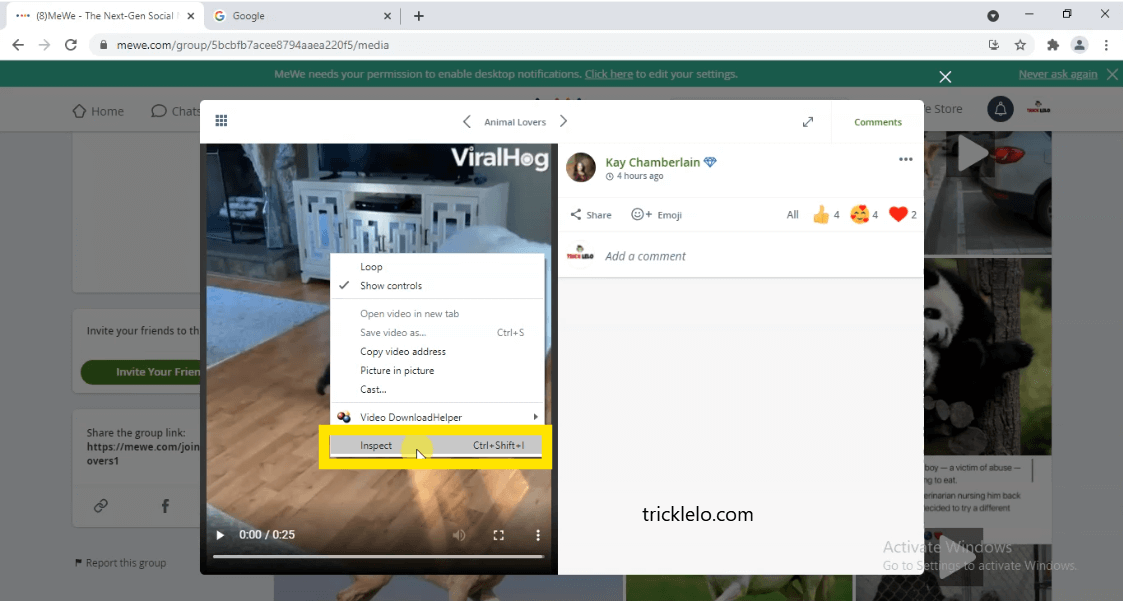
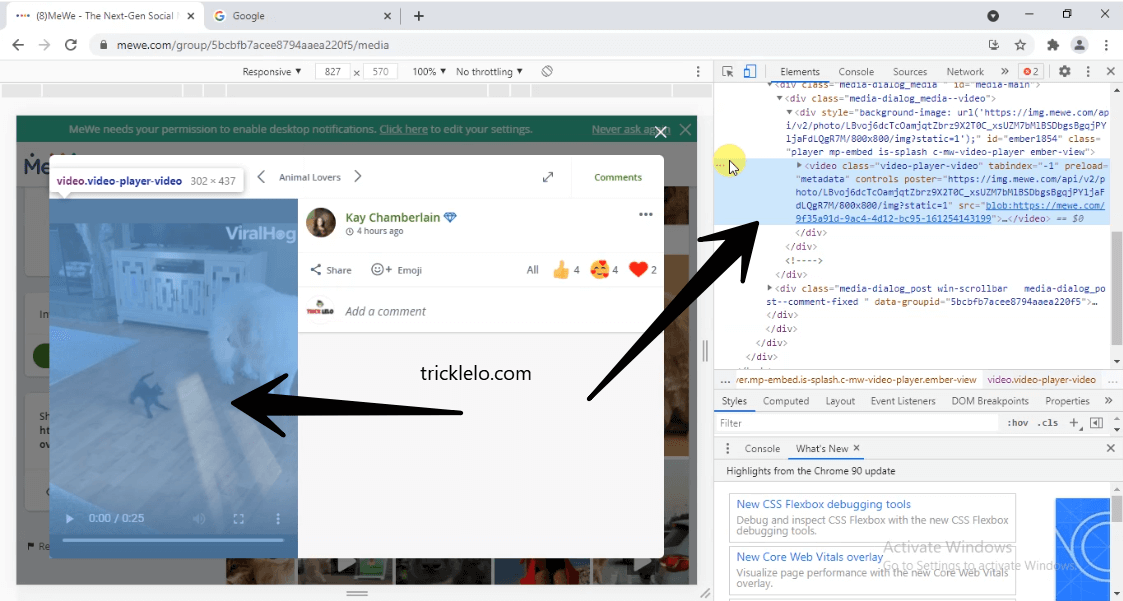
2] Mewe Par Login Karne Ke Baad aap Jis video ko download karna chahate hai wahi video open karna hai. jese screenshot me dikhaye gya ussi tarah open karna hai.
3] uski baad apko video par mouse ka arrow le jana hai or mouse ka Right button par Click Karna hai. jesa hi aap mouse ka right button par click karoge to ek chota pop-up box khulega usme aap ko inspect element dikhay dega uspar aap ko click kar dena hai.
inspect element open karne ki shortcut key : Ctrl + Shift + C
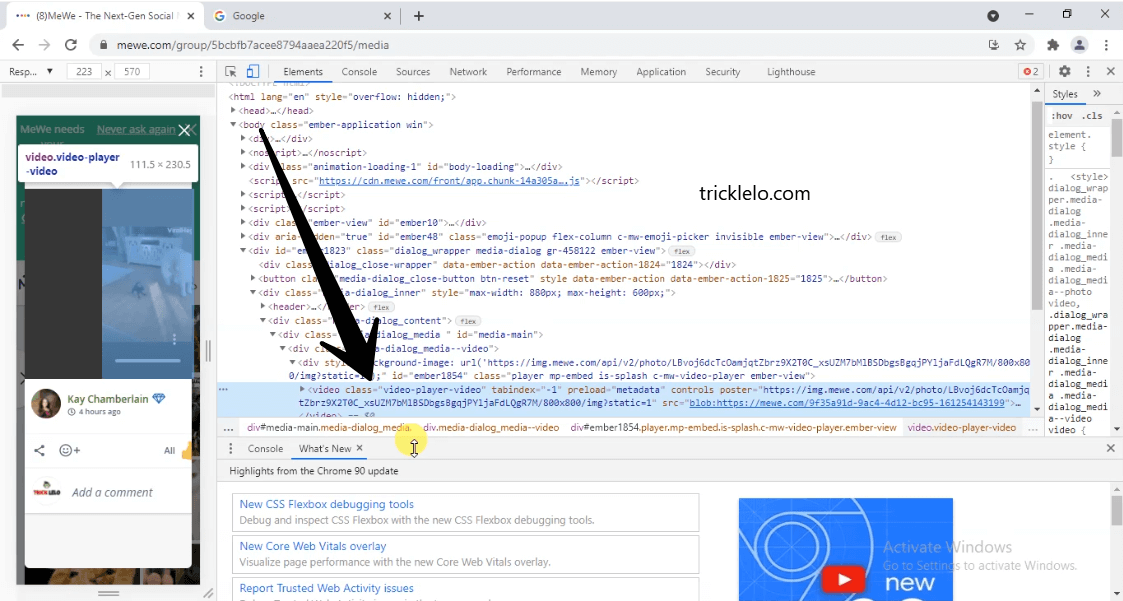
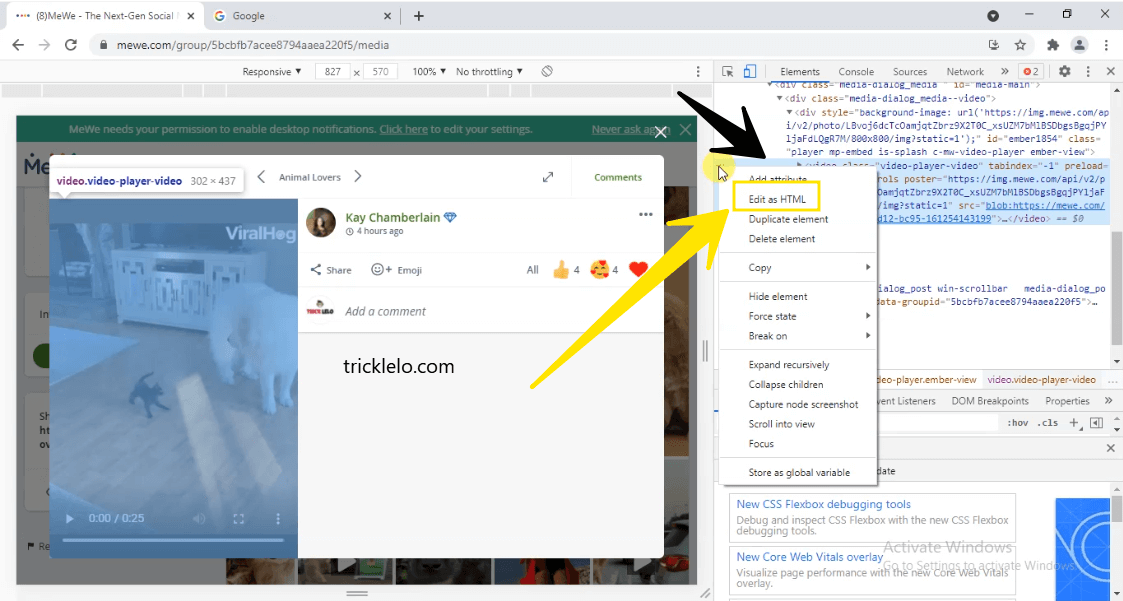
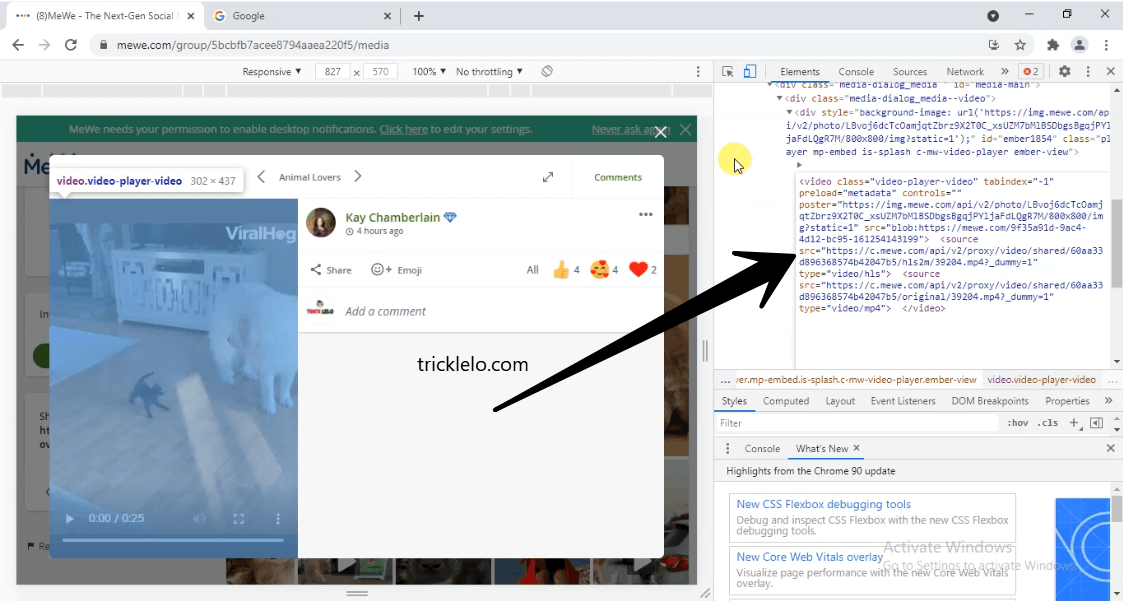
4] uske baad aap screenshot me dekh sakhte hai <video class=”video-player-video” tabindex=”-1″ preload=”metadata” controls=””….. aesha kuch select hua dikhega. uspe aap ko Mouse Se Right click karke edit HTML par Jana Hai.
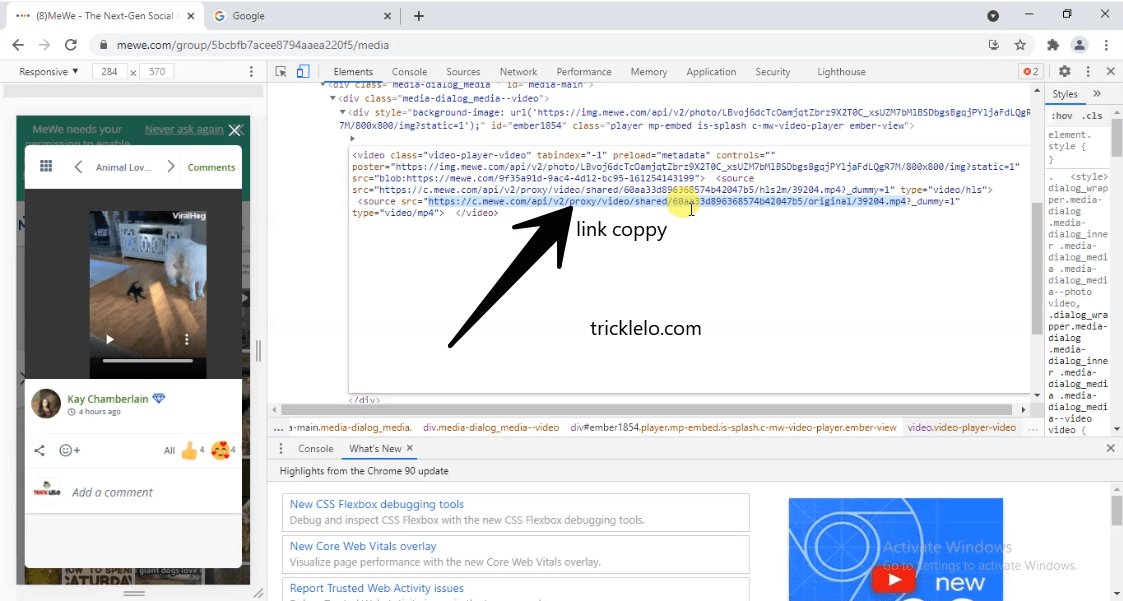
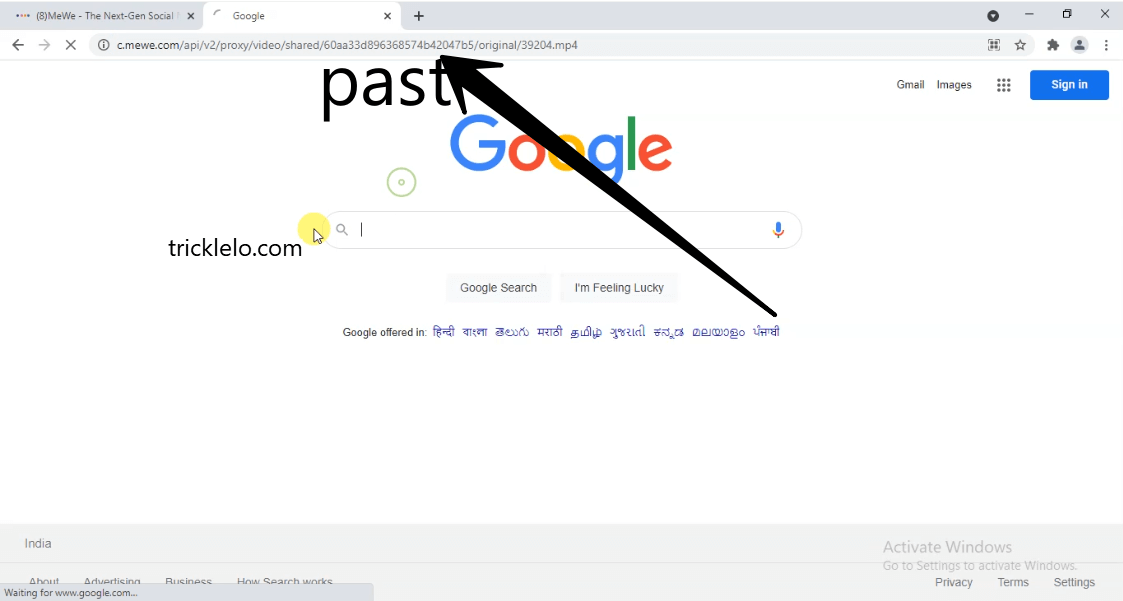
5] next apko https://c.mewe.com/api/v2/proxy/video/shared/60f0756426266f0591104fa2/original/VID_20210714_165023_914.mp4 kuch iss trah link dikhay dega uss link ko coppy karna hai or apne browser me new tab link open karna hai jese hi link ko open karoge to video download hona suru ho jayega. ruko bhai abhi video download nahi hua abhi ek or step follow karna hai tabhi apko video dikh payega warna video open nahi kar sakhoge.
6] Video download hone ke baad aap ko video name edit karna hai tabhi aap video ko dekh sakhoge. apka mewe video original name se download hua hoga. original ke pichhe apko .mp4 likh kar save kar dena hai. [ex. original.mp4 ]
finaly, mewe video download ho chuka hai. iss article ko itna share karo itna share itna share karo……. bus share karodo bhai.
Up To 40% Off Mobiles and Accessories: Up To 60% Off Electronics and Accessories: Up To 70% Off Home and Kitchen: Up To 80% Off 40 Lakh+ Styles: Up To 55% Off TVs and Appliances: Up To 60% Off 25000+ Daliy Essentials: Up To 60% Off Booka, Toys, Gaming and more: Up To 70% Off 20000+ Products Amazon Brands and more: Up To 45% Off Echo, Fire TV and Kindle: Up To 70% Off Unique products from small businesses:
Great Freedom Festival Deal 5th-9th August | Top Deals Revealed
1] Android Phone Se MeWe Account ka Password Kaise Change Kare ? How To Change Mewe Account Password On Android Phone?
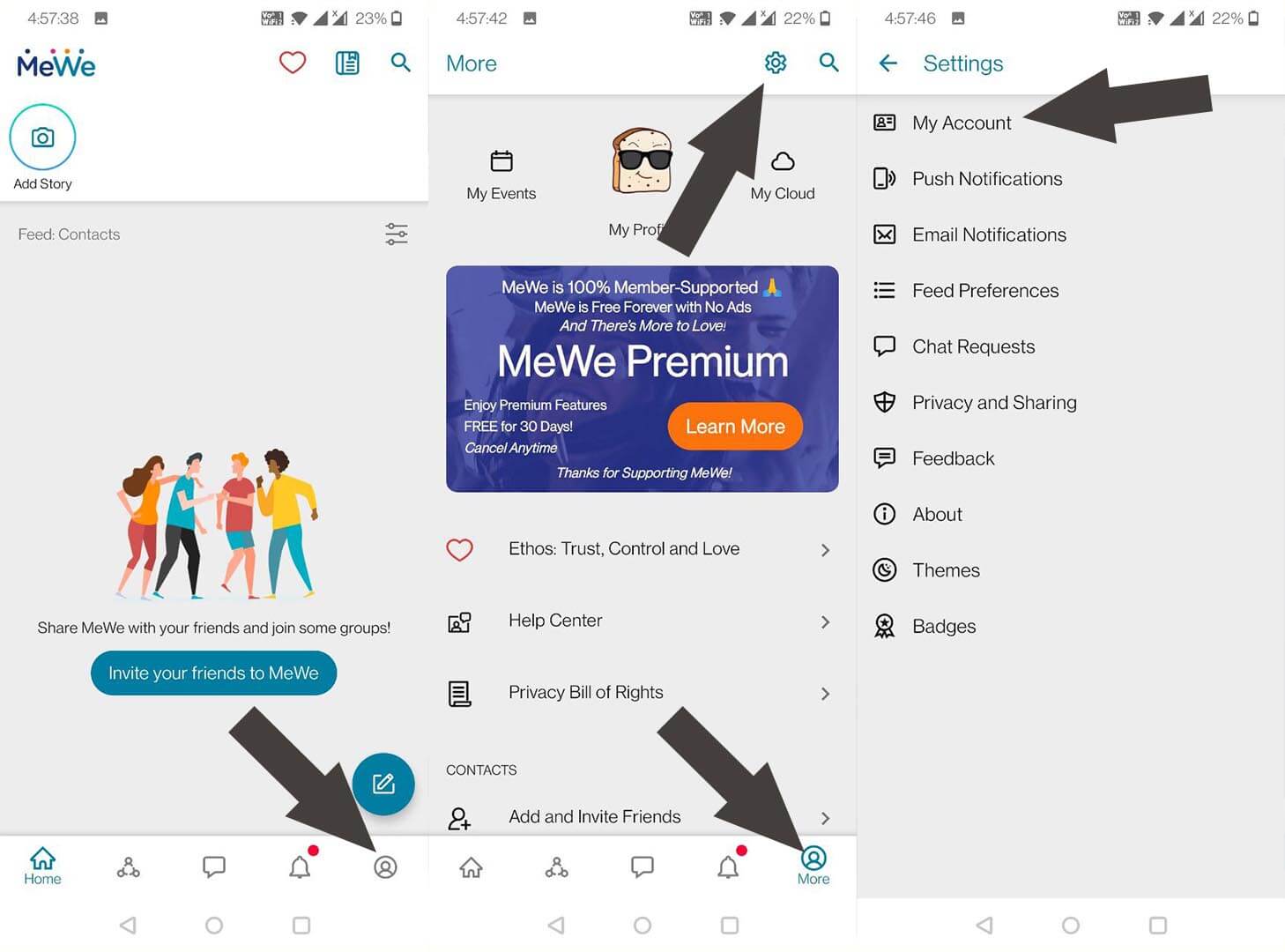
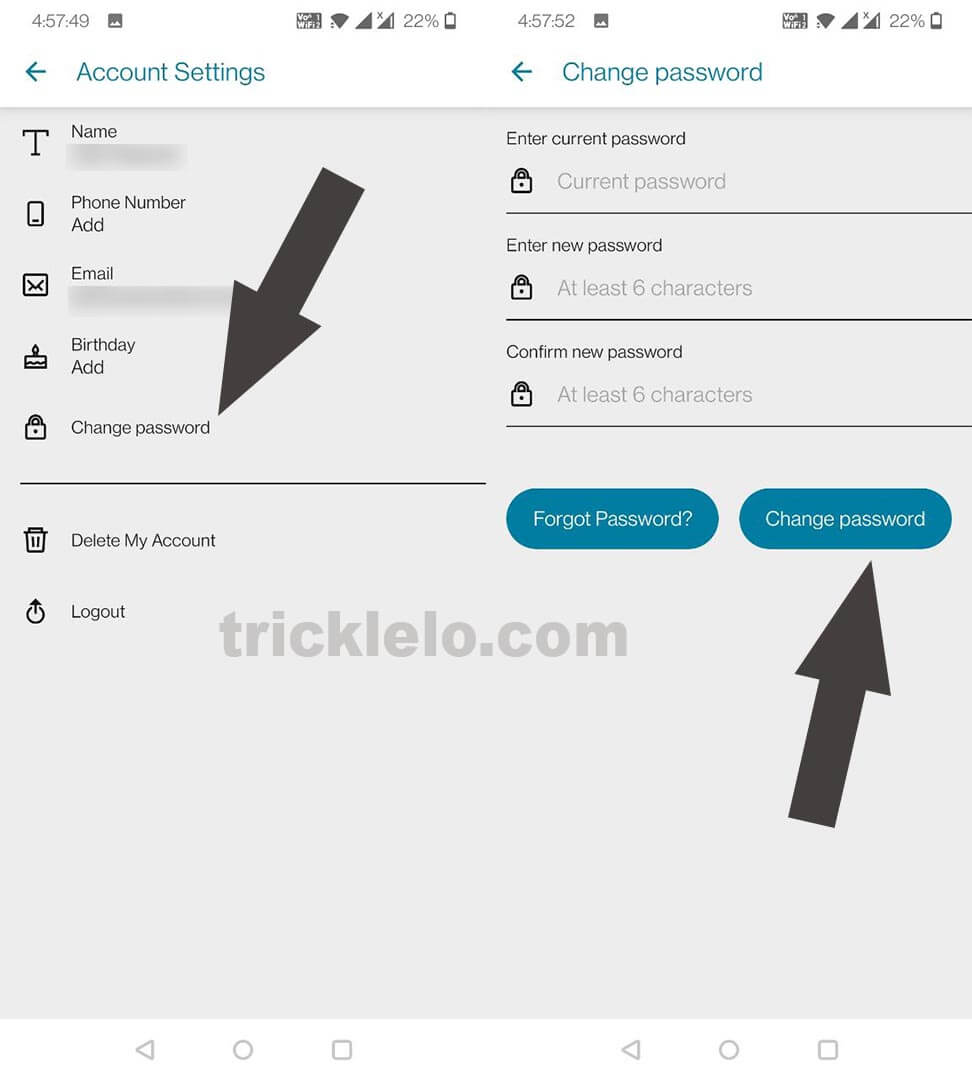
1] Sab se pehle apne phone me mewe app open kare. open karne karne ke baad login kar dijye
2] uske baad sab se niche home,communities,chats, Notification, More ka icone dikhay dega. apko More Wala icone par jana hai.
3] uske baad top pe settings ka icon dikhega uspe aap ko click karke open karna hai.
4] Next My Account par jana hai.
5] Change password par jana hai.
6] Enter current password par old password dalna hai. or enter new password/ comfirm new password pe aap ko new password dalke change password par click kar dena hai.
2] Leptop/PC Se MeWe Account ka Password Kaise Change Kare ? How To Change Mewe Account Password On Leptop/PC ?
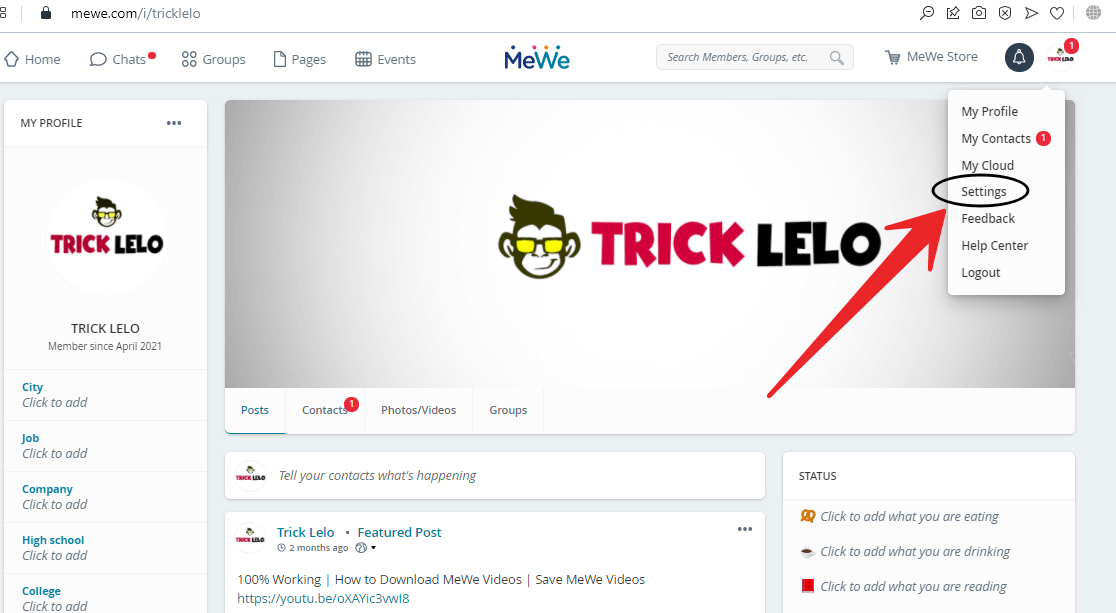
1 ] sab se pehle mewe.com website par login kare.
2] https://mewe.com/settings iss link open kare.
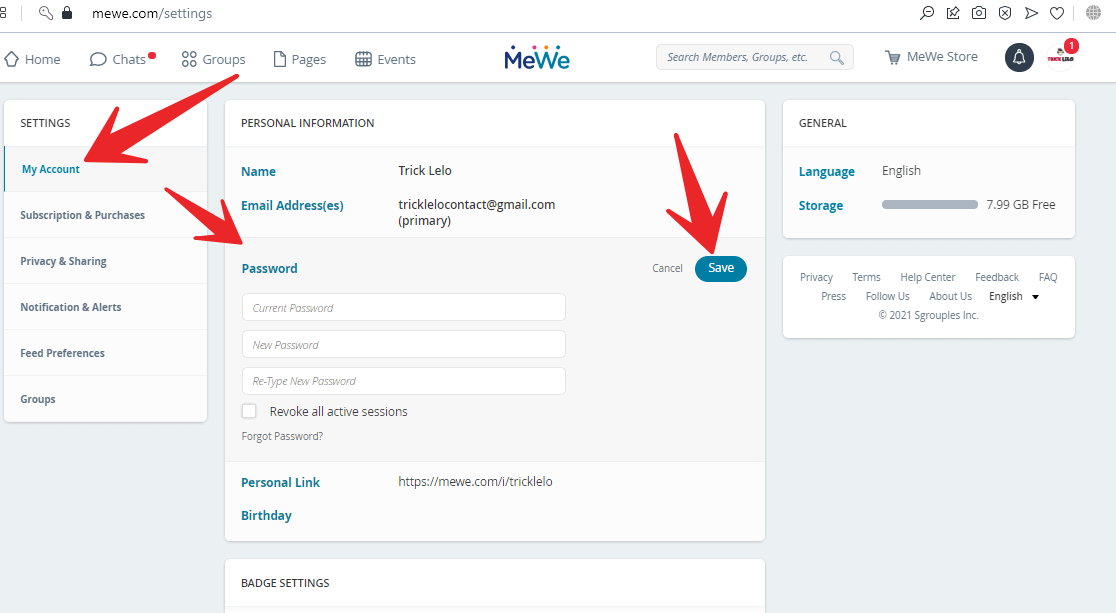
3] uske baad Settings me My Account par click kare.
4] My Account me aap ko password likha hua milega uspe click kare. uske baad current password me old password dale or new password/ re-type new password dalke save kar dijye.

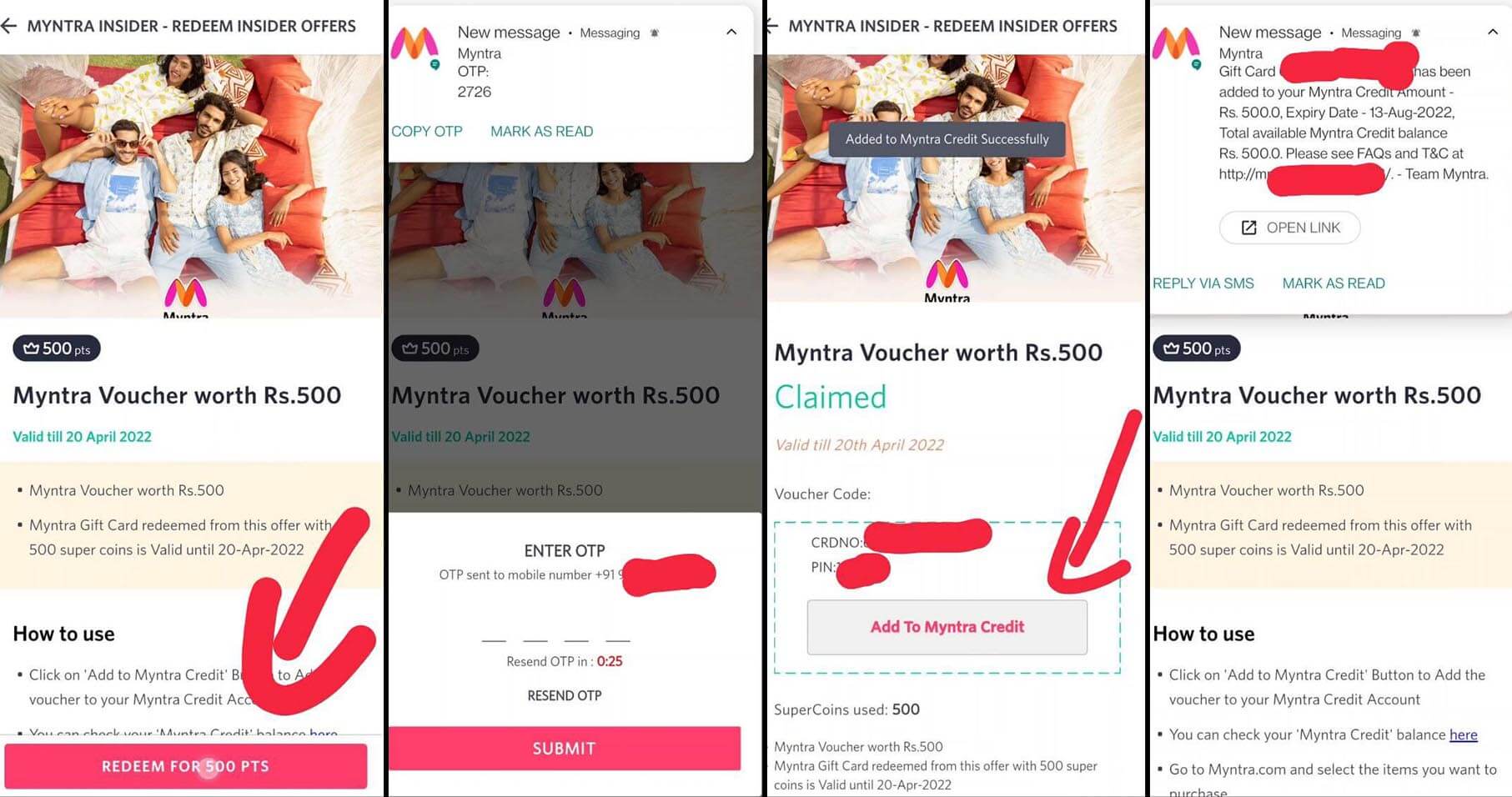
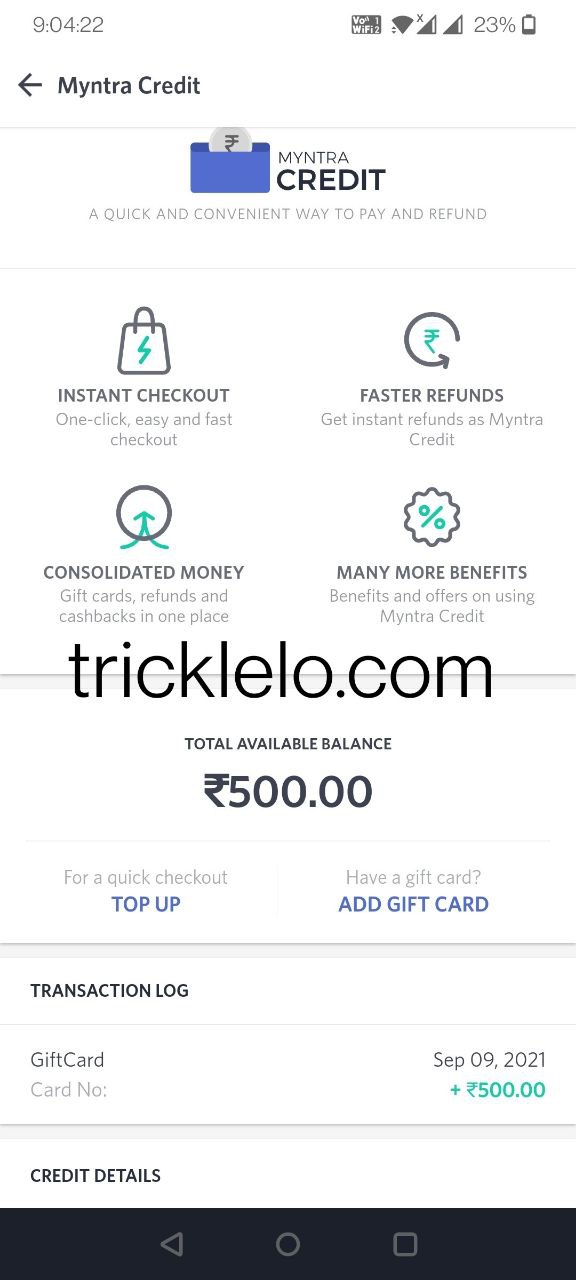
![[Big Loot] Myntra insider Points Loot – Myntra Gift Card redeemed from this offer with 1000 supercoins](https://tricklelo.com/wp-content/uploads/2021/09/Big-Loot-Myntra-Redeem-Insider-Offers-Myntra-Gift-Card-redeemed-from-this-offer-with-1000-supercoins-768x555.jpg "[Big Loot] Myntra insider Points Loot – Myntra Gift Card redeemed from this offer with 1000 supercoins")